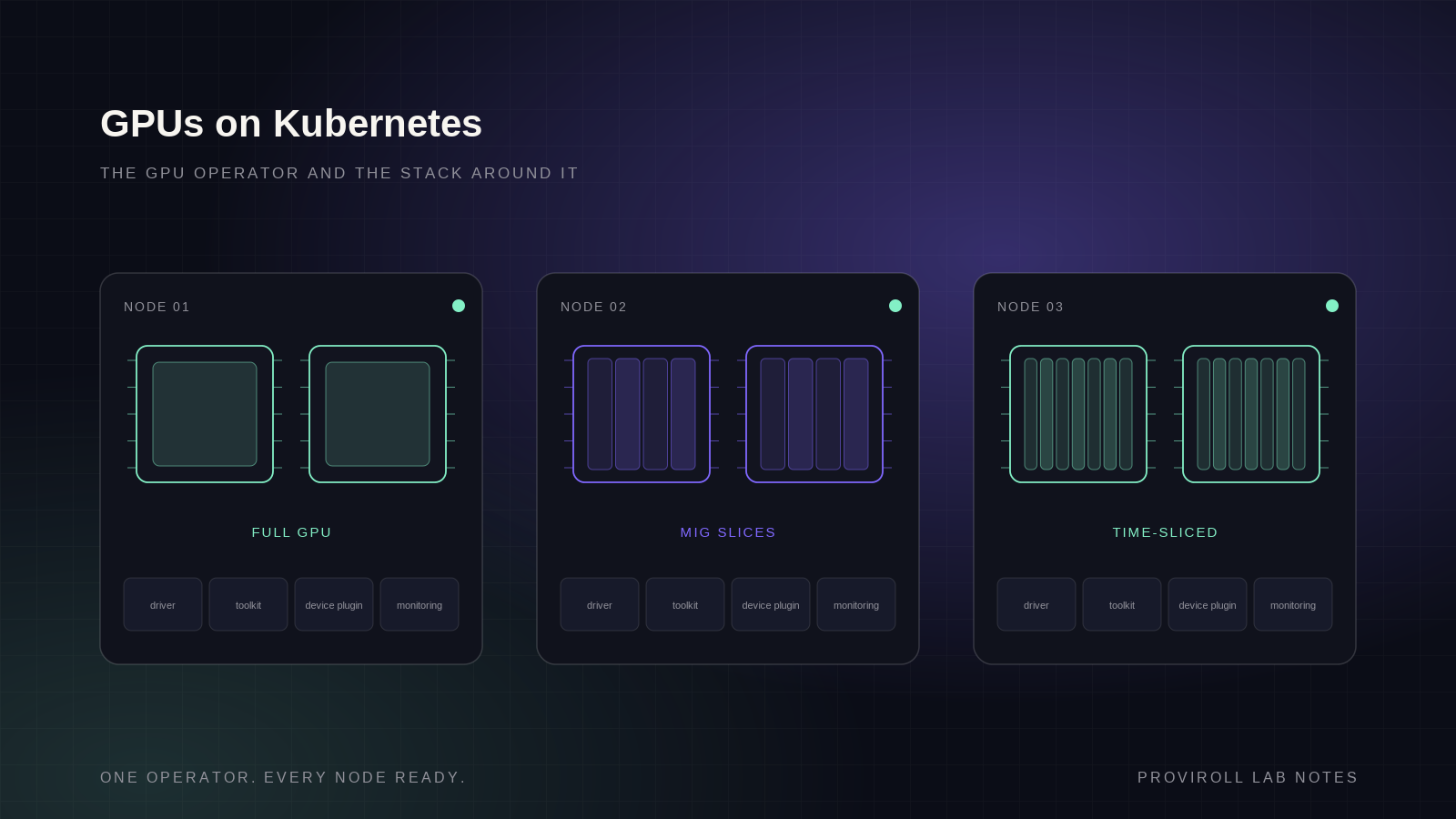
Kubernetes was built for CPUs and memory. GPUs arrived later, and for a long time running them in a cluster meant hand-installing drivers, matching runtime versions node by node and hoping nothing drifted.
That has changed. Today a small set of open-source building blocks turns a pile of GPU servers into a cluster that training jobs, inference services and notebooks can share. Here is how the pieces fit.
The GPU Operator: every node, ready by default
The NVIDIA GPU Operator automates the software every GPU node needs. Instead of baking drivers into machine images, it deploys and manages them as containers across the cluster:
- The driver, installed and upgraded as a container rather than by hand.
- The NVIDIA Container Toolkit, so containers can see and use the GPU.
- GPU Feature Discovery, which labels each node with its GPU model, memory and capabilities.
- The device plugin, or the newer DRA driver, which tells Kubernetes what GPUs are available to schedule.
- The MIG manager, which partitions supported GPUs into smaller, isolated slices.
- The DCGM exporter, which publishes GPU health and utilisation metrics for Prometheus.
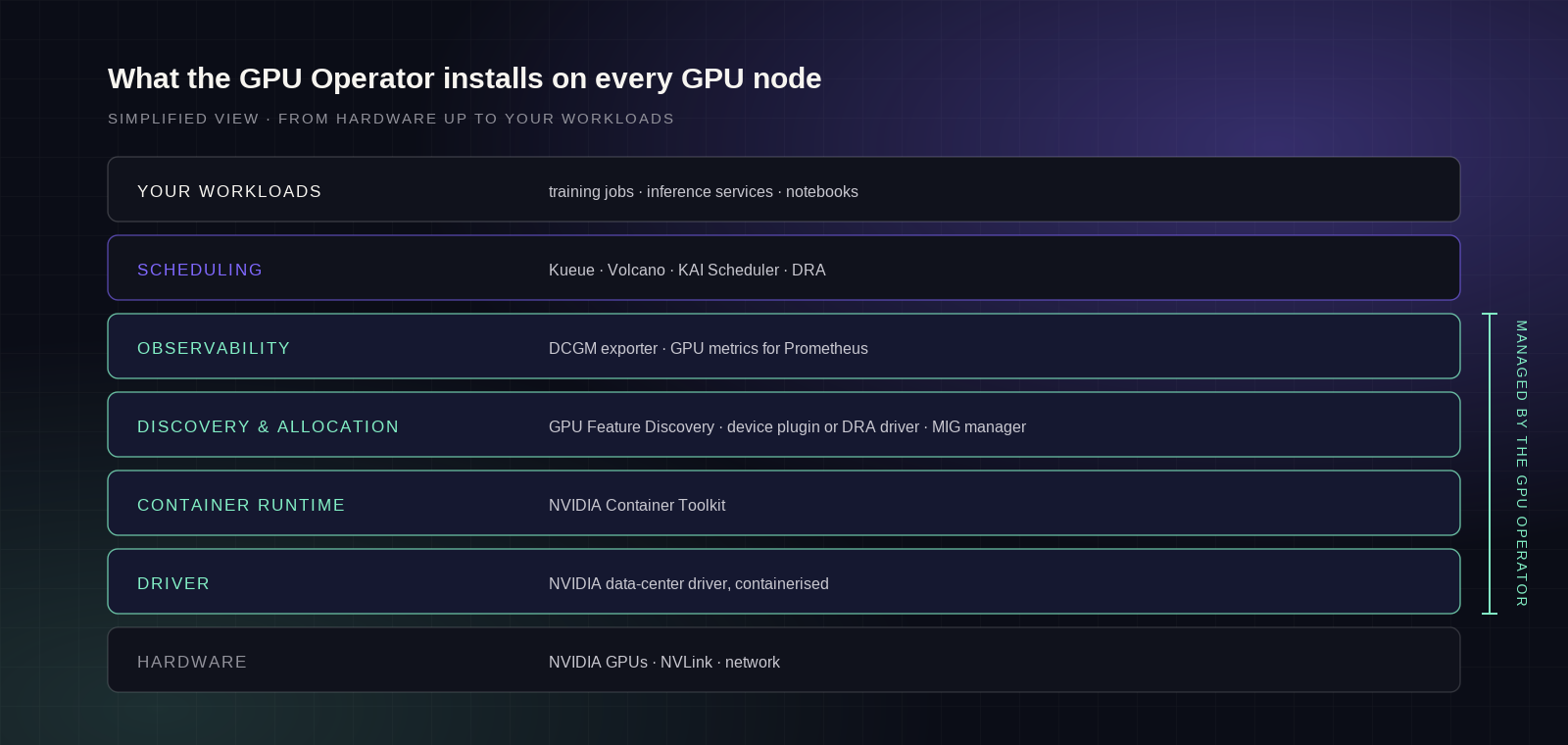
The result is that adding a GPU node looks like adding any other node. The operator notices it, installs what is missing and makes it schedulable.
Sharing GPUs without wasting them
A whole GPU per pod is simple and often wasteful. A notebook, a small model or a development environment rarely needs an entire data-center GPU. Two approaches, both configurable through the operator, help:
- Multi-Instance GPU (MIG) splits supported GPUs into hardware-isolated slices, each with its own memory and compute. It suits inference and multi-tenant clusters where isolation matters.
- Time-slicing lets several workloads take turns on the same GPU. It is flexible and easy to enable, but offers no memory isolation, so it suits development and bursty, lightweight work.
Dynamic Resource Allocation: from counting GPUs to describing them
The classic device plugin lets a pod ask for a number of GPUs and nothing more. Dynamic Resource Allocation (DRA), whose core became generally available in Kubernetes v1.34, lets a workload describe the device it needs instead: a model, a memory size, a capability, or a share of a GPU.
NVIDIA now ships a DRA driver for its GPUs, and recent GPU Operator releases can deploy and manage it, including support for multi-node NVLink systems. NVIDIA's documentation lists Kubernetes v1.34.2 or later and driver 580 or later as requirements. For new clusters, it is worth planning for DRA from the start.
Scheduling AI jobs, not just pods
The default Kubernetes scheduler places one pod at a time. Distributed training needs something stronger: all of a job's workers must start together or not at all, teams need fair quotas, and urgent work needs a way to borrow idle capacity. Three open-source projects lead here:
- Kueue, a Kubernetes project for job queueing, quotas and admission control, working alongside the default scheduler.
- Volcano, a batch scheduler with gang scheduling and queues, popular for training and HPC-style workloads.
- KAI Scheduler, the scheduling core of NVIDIA Run:ai, open-sourced in 2025. It adds hierarchical queues, gang scheduling, fractional GPUs and topology-aware placement. In October 2026, NVIDIA went further and open-sourced the full Run:ai platform.
A common pattern is Kueue for admission and quotas, paired with a gang-capable scheduler for distributed training.
A production checklist
- Let the GPU Operator own drivers and runtimes, and pin versions you have tested together.
- Decide early which workloads get whole GPUs, MIG slices or time-sliced shares.
- Plan for DRA on new clusters, especially with multi-node NVLink hardware.
- Add queues and gang scheduling before the first distributed training job, not after the first deadlock.
- Watch utilisation per team. Idle GPUs are the most expensive line on the bill.
We design and run GPU platforms on Kubernetes for teams training and serving models. If your GPUs are busy but your jobs are still waiting, we are happy to take a look.